Vulniverse 1.0.0 released
We are pleased to announce the release of Vulniverse 1.0.0, the first stable version of the vulnerability record editor behind Vulnerability-Lookup!
Vulniverse is a web editor for vulnerability records in CVE Record Format 5.2.0, GCVE BCP-05 1.7 and OSV 1.9.2. Its guided forms know the schemas, so you describe the vulnerability and Vulniverse gets the structure right: version ranges, CVSS scores, CWE and CAPEC references, credits and all the rest. Since Vulnerability-Lookup 7.0.0, it has been the editor of Vulnerability-Lookup. With 1.0.0 it also stands on its own: run it on your machine, as a server for your team, or embed it in your own application.
🚀 Try it in your browser, with no installation and no account.
Three ways to use it
- Just me. Run Vulniverse on your own machine with Docker, with no accounts: quick start.
- My team. Run a server with accounts, organisations, roles, invitation links and optional two-factor authentication: quick start.
- Embed it. Add the
<vulniverse-editor>Web Component to your application. It is published on npm as@nmd03/vulniverse, with TypeScript declarations. Your application provides the storage through a small JavaScript object, and the editor does the rest: quick start.
npm install @nmd03/vulniverseVulnerability-Lookup itself now installs the editor this way, from npm.
What’s New
Guided forms for three formats
Every part of a record has its form: descriptions, affected products and their versions, problem types, metrics, references, credits, timeline and the GCVE extensions. OSV 1.9.2 joins CVE 5.2.0 and GCVE BCP-05 1.7 in this release, with the CVSS calculator. The versions editor handles single versions and ranges, with < and ≤ upper bounds, status changes within a range, and suggestions for the version type.
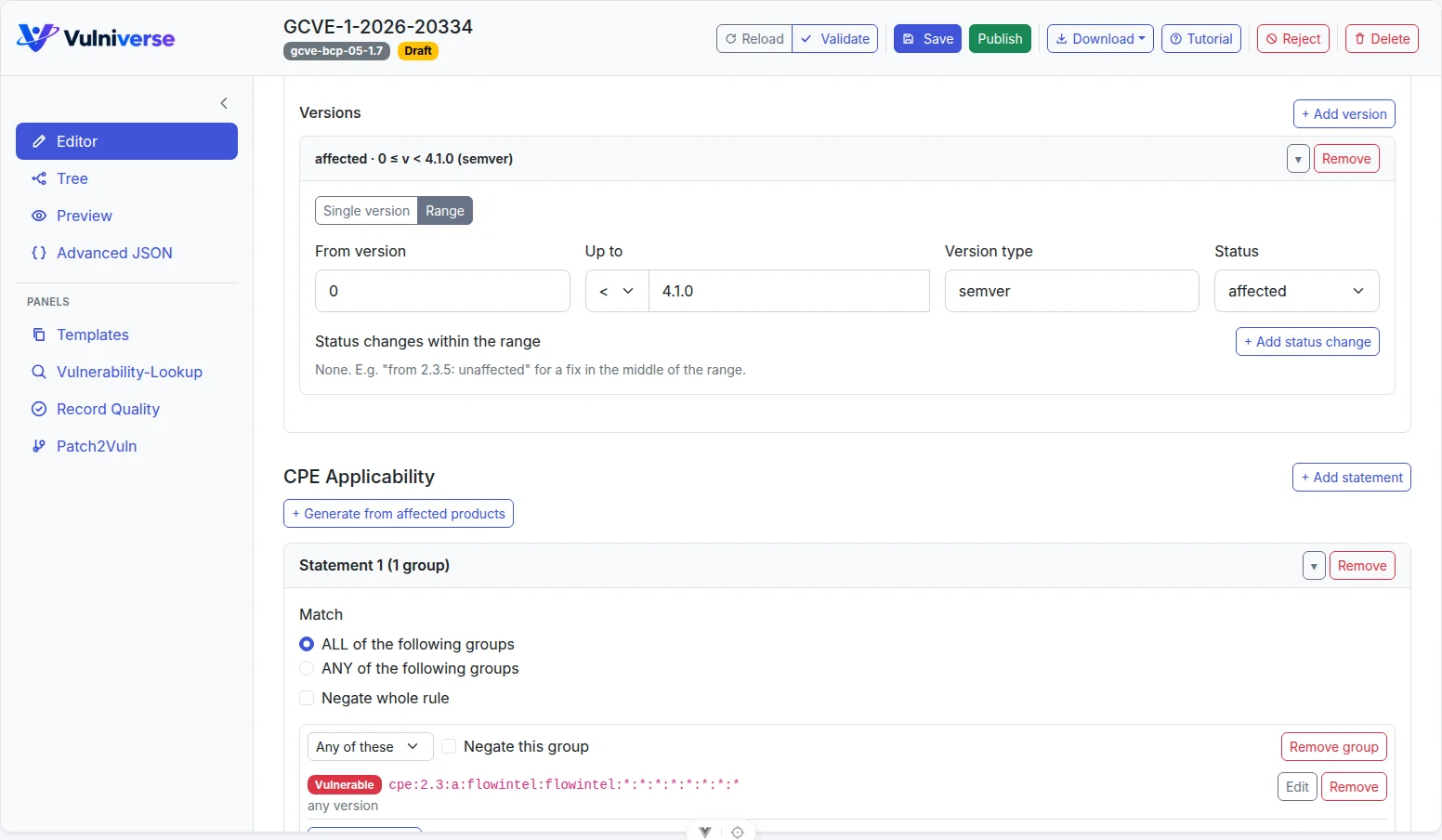
The versions of an affected product: a range from 0 below 4.1.0, compared as semver.
Change tracking
Vulniverse shows what you changed since the last save. Edited fields are marked in the form, closed cards say how many fields changed inside them, new entries say “New”, and removed entries stay visible with a Restore button. A list in the header shows every unsaved change with its old and new value, to jump to it or undo it one by one. The Advanced JSON view compares the record with the last save, line by line.
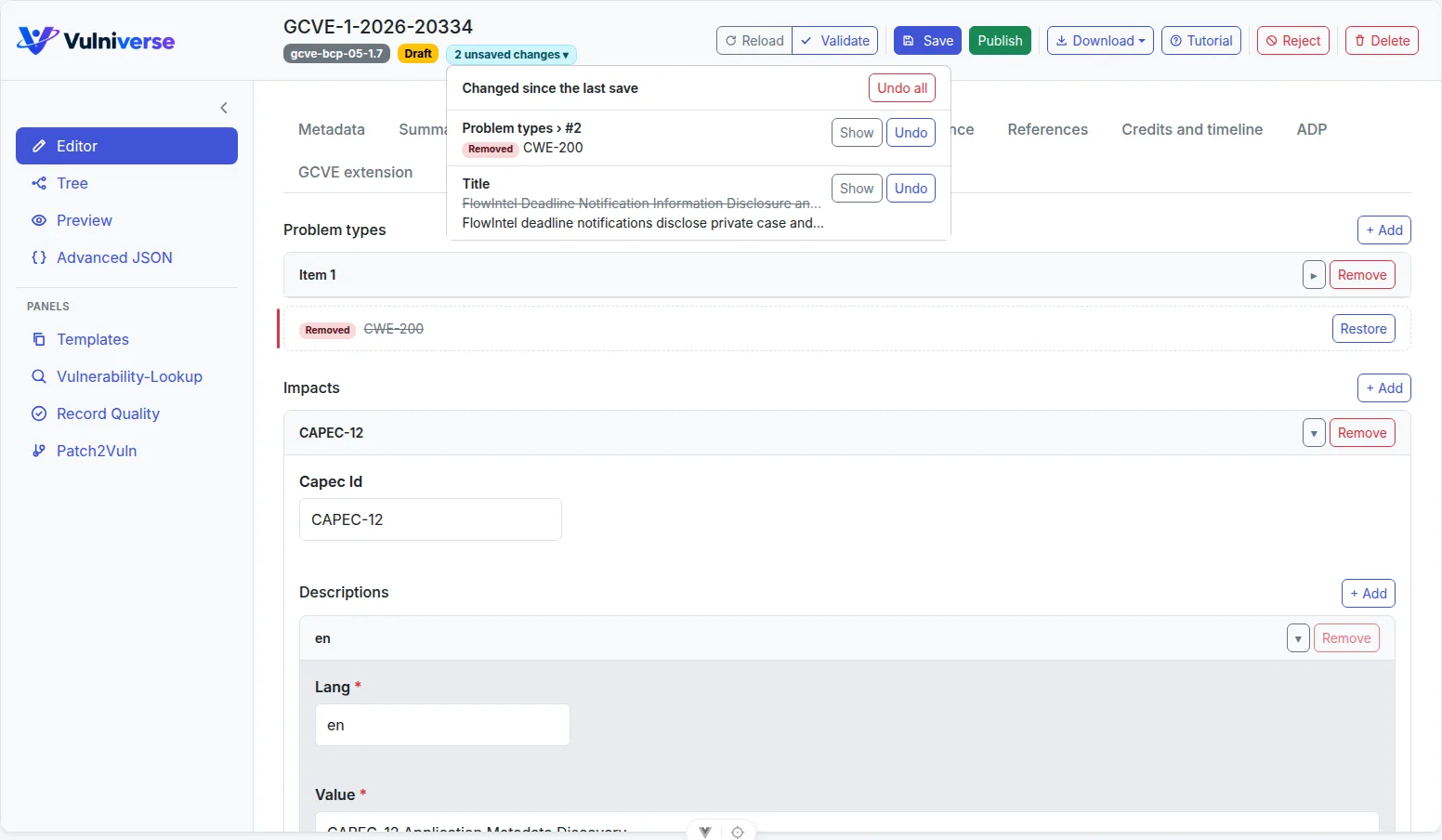
The unsaved changes, each with Show and Undo.
Record tree
The record tree draws the record as a graph, with search, zoom and the missing required fields. A click on any node opens that field in the form.
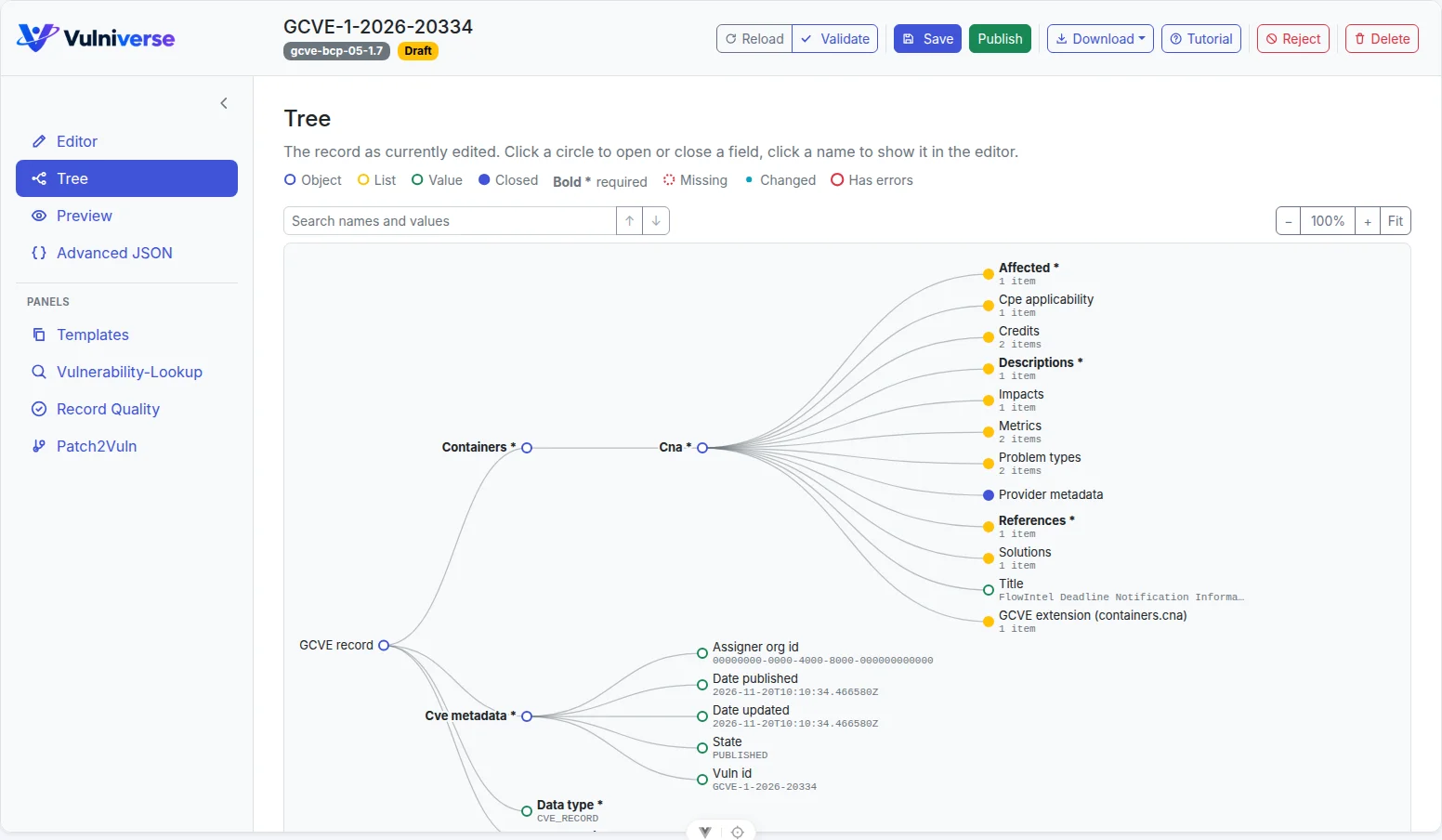
The record tree.
Records drafted by AI with Patch2Vuln
Writing a record often starts from the fix. With the Patch2Vuln panel, you paste the URL of the commit that fixes the vulnerability, or upload patch files, and a language model analyses the change and drafts the vulnerability entry: title, description, affected products and versions, CWE, CVSS metrics, solution and references, in CVE format or, for OSV records, in OSV format. Optional context such as the fixed version or your own instructions steers the analysis.
The analysis runs as a background job on a Patch2Vuln service, with models you host yourself through Ollama, and Vulniverse notifies you when it finishes, even with the panel closed. Nothing is written into your record on its own: you review the draft and choose which parts to apply. The GCVE metadata can record that the entry was drafted with AI, following GCVE-BCP-05-X-02.
Publishing, quality and more
- Publishing to Vulnerability-Lookup and to the CVE Program, with a timeline of the record’s state, a field-by-field comparison with the published version, and taking over upstream values.
- Record quality scores a record and lists what is missing.
- Templates for recurring values, which can be exported and imported as files.
- Download a record as JSON, an HTML page or a PDF, and a guided tutorial for first-time users.
Upgrade notes
- From 0.1.0-alpha.2: back up the database, run the migrations (
flask --app vulniverse_api db upgrade) and checkconfig/vulniverse.toml. The steps are in the changelog. - Vulnerability-Lookup instances get the new editor with their usual update (
npm ci --omit=dev, orpoetry run update) once Vulnerability-Lookup moves to Vulniverse 1.0.0. - From 1.0.0 on, the editor’s public API (the
<vulniverse-editor>element, the repository interface and the npm package’s exports) and the configuration file only change incompatibly in a new major version.
Changelog
📂 For the full list of changes, check the GitHub release and the changelog: https://github.com/vulnerability-lookup/vulniverse/releases/tag/v1.0.0
📖 The documentation, with quick starts for each way of using Vulniverse: https://vulnerability-lookup.github.io/vulniverse/docs/
🙏 A big thank you to all contributors and testers!
Feedback and Support
If you encounter any issues or have suggestions, feel free to open a ticket on the Vulniverse repository: https://github.com/vulnerability-lookup/vulniverse/issues/ Your feedback is always appreciated!
Follow Us on Fediverse/Mastodon
You can follow us on Mastodon and get real-time information about security advisories: https://social.circl.lu/@vulnerability_lookup/